My name is Will. Day to day, I work with a mix of cloud, networking, security, and Linux.
I’m using this “blog” as a place to drop quick posts—more like gists than full deep dives. Nothing too fancy or elaborate, so if you’re looking for super detailed breakdowns, this might not be the spot for you.
How I manage my DNS with Terraform and Cloudflare!
Intro Hey Everybody,
Happy New Year! This is my first post of 2026, and I’m excited to share how I currently manage DNS.
DNS is definitely something you need to be intentional with. It’s simple to launch VMs or services in your network, and have them floating around without a proper DNS record. While this might be acceptable for a temporary service, it is best practice to set a DNS record for anything permanent.
...
Fail2ban Observability
Hello everyone!
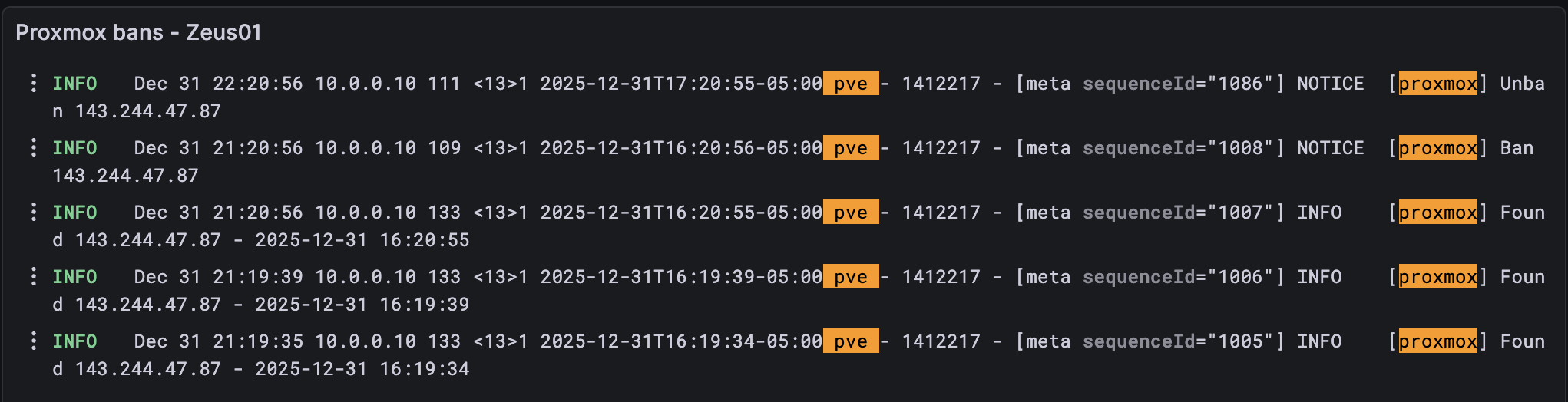
Today I wanted to discuss how I’m keeping track of Fail2ban logs on my Proxmox cluster.
For those of you who don’t know what Fail2ban is, it is a simple program that can automatically ban threats via iptables by parsing log files and scanning for regex patterns.
Here is a sample file that can be parsed:
[Definition] failregex = pvedaemon\[.*authentication failure; rhost=<HOST> user=.* msg=.* ignoreregex = And here is the the jail configuration:
...
Simulate BGP at Home
Hi everyone,
If you’re like me, there are tons of technologies that you work with on a day-to-day basis, but never have the opportunity to touch. In my day-to-day role, for example, I work heavily with networking and even with BGP. But rarely do I have the chance to do anything BGP-related as it pertains to the internet.
It’s quite the dilemma! How is one supposed to get the experience of operating large-scale networks, if only very few people have the opportunity to work on them? Let alone set them up from scratch!
...
Yubikey for Personal Use
Hey Everyone!
I wanted to share a small (pun intended) improvement to my personal security hygiene.
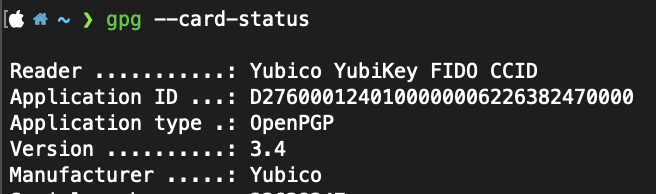
That small improvement is called a YubiKey! For those unaware, a YubiKey is a hardware-based MFA device. It supports an MFA standard known as FIDO2, which is much more secure than TOTP.
I’ve begun implementing this across various applications including my personal email, DNS provider, and even 1Password. The main draw for me is that if any of your authenticator apps are compromised, you are still susceptible to a hack.
...
What is Your Favorite Password Manager?
What are your favorite password managers?
I used to use LastPass, and while it worked fine for me, I eventually switched to 1Password and haven’t looked back.
What I really like about 1Password is the extra layers of authentication. You either need a secret key or another authenticated device to approve your login. Plus, you can stack that with MFA for even more security. Last I checked, LastPass doesn’t have a secret key, just MFA.
...
IPv6 at Home
Hi Folks,
I’ve finally made the transition to using IPv6 at home! It’s been a long time coming, and while it took a few weeks to get everything working, I’m excited for this new chapter.
I requested a /56 from Verizon, and at first, it didn’t seem to work. But after not checking for a while, I noticed some of my VLANs had started handing out IPv6 addresses!
...
Relocating My Homelab
Hey all,
I recently decided to purchase a dedicated server from RackNerd with the goal of hosting my homelab services remotely.
Previously, I ran a high-availability Proxmox cluster out of my one-bedroom apartment in NYC, powered by a few Dell Optiplex 4090s. A few months ago, I moved into a new place and had to decommission that setup.
Since my new setup is remote, it presented a few challenges:
How am I going to administer my lab? How can I secure it? What services will I host?
...
My NAT Setup for DN42
Hey folks,
Quick tip for anybody using DN42. If you’re having an issue making your services reachable on the network you can copy something similar to what I’m doing.
In my lab, I’m running plain Docker, with a container that has a private IP of 192.168.77.2. To make it reachable from a remote peer over WireGuard, I’m using two NAT rules: one for SNAT and one for DNAT.
Why? Because in the DN42 overlay network, only IPs in the 172.20.0.0/14 range are routable. My little slice is 172.22.147.160/27. The whole setup is similar to your home internet with RFC1918 addresses meaning you need to heavily rely on NAT.
...